What's new

Mycolor

Hello Francesco,

please zip the folder you've created and post the zip.

Regards
Stefan
 
Hello Francesco,

frist try with your upacked data failed...
tried to start your external.exe solo failed...
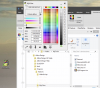
replaced your external.exe with a fresh dowloded copy of mycolor.exe (and renamed it to external.exe again):
upload_2021-6-4_12-43-32.png

Regards
Stefan
 
Stefan,
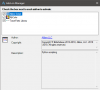
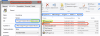
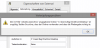
unfortunately it appears on the Alibre home screen but I choose the program and I do ok, the error message appear
 

Attachments

  • Home - Alibre Design Expert V23 04_06_2021 19_22_21.png
    Home - Alibre Design Expert V23 04_06_2021 19_22_21.png
    13 KB · Views: 9
  • Add-On Load Failure 04_06_2021 19_23_06.png
    Add-On Load Failure 04_06_2021 19_23_06.png
    6.2 KB · Views: 7
Hello Francesco,

is your External.exe on your desktop?
Can you start the External.exe without AlibreDesign?

Regards
Stefan
 
Hello Francesco,

It seems your working with "onedrive"?
Copy your MyColor.exe into your MyColor add-on folder, remap the external link and try again.

Regards
Stefan
 
Nothing to do I copied the program in the folder and it always gives me the same error message .....
 
nothing...this is log file


in com.alibre.addon.client.AddOnContext.setAddOns(Control parent, AddOn[] allAddOns, AddOn[] selectedAddOns, Array newAddOns)An exception of type System.ComponentModel.Win32Exception was caught.
Reason: Impossibile trovare il modulo specificato
Stack trace follows:
in com.alibre.addon.client.DllAddOn.doLoad(Control parent, IntPtr pAutomationHook)
in com.alibre.addon.client.DllAddOn.load(Control parent)
 
Back
Top