Alibre Motion is included in:
Alibre Design ExpertPowerful, fully integrated Motion Simulation and Analysis
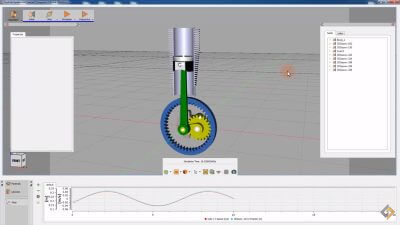
Alibre Motion allows you to take 3D assemblies and perform motion simulation above and beyond what you can do in the normal assembly workspace. By automatically mapping the assembly constraints into motion constraints, much of the tedious aspect of traditional motion simulation and analysis programs is eliminated. Analysis tools help you quickly do things like determine where interferences will occur while your design is in motion or find out the velocity of a part over time.
Easy User Interface
The Alibre Motion interface is built right into Alibre Design. Activating the tools is as easy as selecting the Motion menu item, and you can easily switch between the design and motion analysis interface using convenient tabs. Once the Motion interface opens, all the tools you need are immediately visible on the intuitive Motion Tree. You work from top to bottom, defining what assembly constraints will be using what forces or defined motions. After defining the actuators, springs, dampers, and gravity requirements, you can indicate what measurements or traces you would like to apply. Then, just click Play.

Automatic Motion Setup
Many 3rd party motion packages, and some integrated ones, require you to define motion constraints again after you have defined the assembly constraints you created while designing your assembly. This not only doubles the work, but becomes incredibly time consuming, especially with design changes. You also have to mentally map how design constraints would be represented with motion constraints. Alibre Motion completely eliminates this problem by automatically mapping assembly constraints into motion constraints for you, and if you change the assembly, the motion constraints update automatically.

Real World Motion Elements
Alibre Motion presents real world concepts, such as Linear Actuator, Spring, or Damper so applying the item onto a constraint is straightforward. You can simulate motion using either Forces or Prescribed Motion, the latter being concerned with how the assembly moves without regard to the forces required to make it move. Defining forces or explicit motion is as easy as entering values.

Real Time Feedback
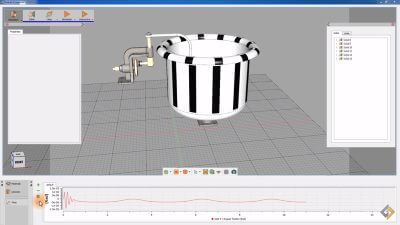
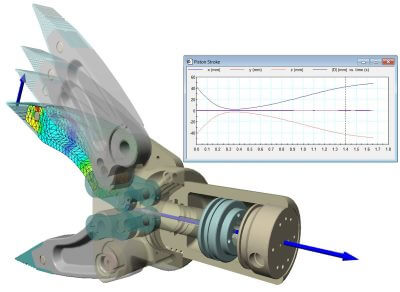
Using Dynamic Measurements such as position, force, torque, or angular acceleration, you can graphically see how the values change over time for the parts in your assembly. You can query the graph to see the exact values, or export the values to Excel for further analysis. You can also add a Trace to parts, which makes a part trail that shows you where the part has been, or it's acceleration for example, as it changes position.


Interference Detection
Even though you can detect interferences within the normal Assembly Workspace within Alibre Design, it is only a snapshot in time. Using Alibre Motion, you can check for interferences throughout the entire range of motion of your design to be sure no unintended collisions are taking place. This allows you to make safer, cheaper, higher quality products by catching redesign requirements before manufacturing.
![]() |
Collision DetectedWe can see that we need to redesign the range of motion for the shaft that propels the pinchers since we always want at least .3" between them. |
Easy Movie Creation
Often times you will need to show collaborators or clients the results of a motion analysis, and movie files are the easiest way to communicate what is going on. Making movies from your simulations is a button click away.